PDF to JPG
Every page is drawn at the resolution you choose and saved as its own image. A ten-page PDF gives you ten files, and anything over one arrives as a single zip. The PDF is read inside this tab and never leaves your computer.
Going the other way? JPG to PDF puts images back into one PDF. Want the text on the page rather than a picture of it? PDF to Word rebuilds it as a document.
- No account
- No watermark
- No file limit
Your files
PNG ignores the quality setting. Every pixel is kept as drawn, which on a text page is usually three to ten times the size of the same page as JPG.
At 150 DPI a US Letter page comes out 1275 × 1650 pixels. 300 DPI doubles each side and is about four times the bytes.
Nothing chosen yet.
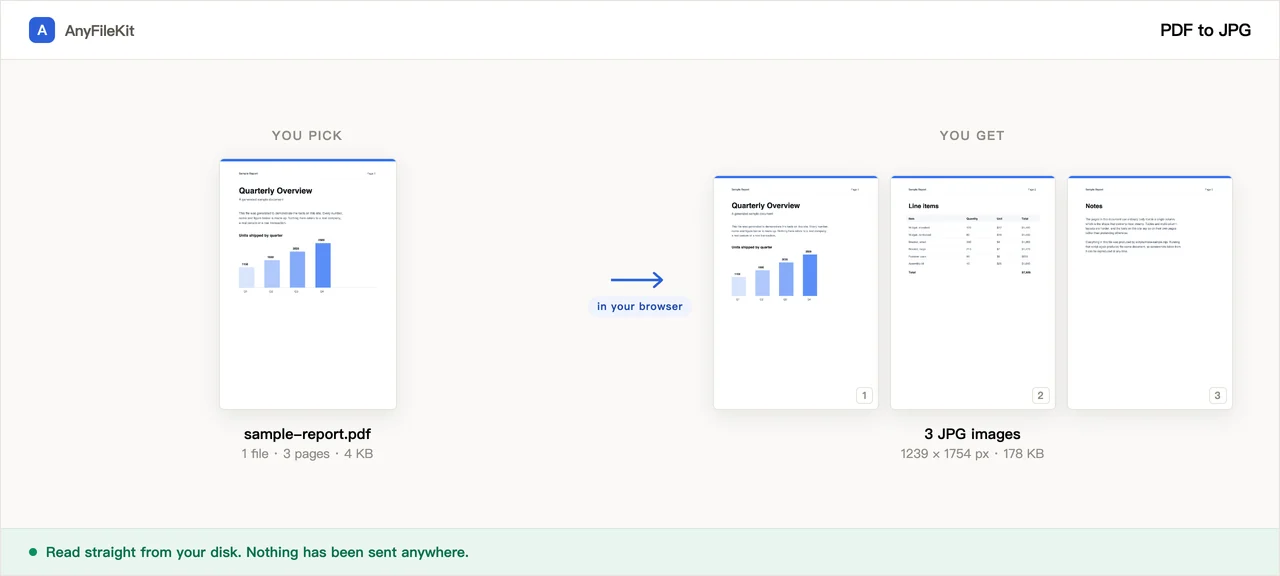
What this tool does for you
The parts worth knowing before you start.
One image per page, numbered in order
Page 1 becomes name-01.jpg, page 2 name-02.jpg, and so on, so they stay in reading order in any file manager. A single image downloads on its own; two or more come back as one zip.
You set the resolution
72, 150, 200 or 300 DPI. A US Letter page at 150 DPI comes out 1275 × 1650 pixels, which is enough to read on a screen. 300 DPI doubles each side and roughly quadruples the bytes. The pixel size you actually got is printed with the result.
JPG or PNG
JPG is the smaller of the two. PNG throws nothing away, so text edges and thin lines stay exactly as drawn, usually three to ten times the file size of the same page as JPG.
No page cap you did not choose
There is no account, no queue and no size tier. One run stops at 300 pages, because every finished image is held in this tab until you download it.
How to use PDF to JPG
Drop in one or more PDFs.
Choose JPG or PNG, the quality and the resolution.
Press Start. Pages are drawn one at a time with the count next to the file; then download the image, or the zip if there is more than one.
When people use it
Putting a page into a slide or a document
Presentation and document editors take an image anywhere. Getting a PDF page in as a PDF usually means an attachment icon instead of the page.
Sending a page to someone whose phone will not open it
An image previews in every chat app and mail client with nothing to install and nothing to tap.
A contract, a payslip or a medical form
These are the pages most often needed as images. Here they are rendered in the tab you already have open.
Questions about PDF to JPG
How do I convert a PDF to JPG here?
Drop the file in, pick the resolution and quality, and press Start. Every page comes back as its own JPG. Nothing is uploaded, there is no sign-up, no watermark is added and there is no limit on how many files you convert.
I converted a 20-page PDF and only got one file
That file is a zip holding the 20 images. Anything over one image is zipped, so a multi-page PDF always comes back as a single file.
Which resolution should I pick?
150 DPI is the default and is right for reading on a screen or dropping a page into a slide: a Letter page lands at 1275 × 1650 pixels. Choose 300 DPI if the image will be printed or cropped into, and 72 DPI for a thumbnail or a forum post. Bytes grow with the square of the resolution, so 300 DPI is about four times the size of 150.
The text looks soft around the edges
Raise the quality, raise the resolution, or choose PNG. PNG keeps the edge exactly as drawn, at several times the file size.
My PDF is a scan. Does converting lose anything?
Yes, a little. A scanned page is already a compressed photo inside the PDF, so a JPG here has been through two rounds of compression. The page says so when it sees a PDF with no text layer. High quality, or PNG, keeps the second round from showing. At 300 DPI the images can also add up to more than the PDF they came from.
How many pages can it handle?
One run stops at 300 pages and tells you where it stopped. Split the PDF first, or convert the rest in a second run. Separately, no browser can read a file over about 2 GB in one piece, and you get a plain message rather than a frozen page if you try.
My PDF will not open here
If it is password-protected, the file says so in the list. This page does not ask for the password. Unlock the PDF in the program that made it or in a reader, save an unlocked copy, and bring that here.
Is the PDF uploaded?
No. The PDF renderer is downloaded from this site into your browser, and it reads the file straight from your disk. You can have the network panel open the whole time; nothing goes out.
Other tools
Compress Image
Make photos smaller without the upload
Reduce PDF File Size
Shrink a PDF without uploading it
Compress Video
Make a video file smaller
Crop Video
Drag a box over the picture and keep only that part
Video to GIF
Turn part of a video into an animated GIF
Combine PDF Free
Join several PDFs into one
PDF Splitter
Pull pages out of a PDF
PDF to Word
Turn a PDF into an editable .docx
Audio Trimmer
Trim an audio file
Video Cutter
Trim a video without re-encoding it
Crop Image
Drag a box over it, then rotate if it needs it
Merge Images
Put several pictures into one file
HEIC to JPG
Convert iPhone photos to JPG
JPG to PDF
Turn JPG and PNG images into one PDF
Video to MP3
Pull the audio out of a video
Word to PDF
Turn a .docx into a PDF, or one PDF per page
Markdown to Word
Turn a .md file into a .docx
Markdown to PowerPoint
Turn a Markdown outline into slides
HTML to Image
Turn an HTML file into one long PNG
Image to Text
Read the text out of a picture
Split Excel Sheets
One sheet, one file
Split Excel Rows
One row per file, or every N rows